> For the complete documentation index, see [llms.txt](https://wedocs.gitbook.io/wedocs-5.2/llms.txt). Markdown versions of documentation pages are available by appending `.md` to page URLs; this page is available as [Markdown](https://wedocs.gitbook.io/wedocs-5.2/wedocs-4.5/client-desktop/administracao/biblioteca-de-funcoes.md).
# Biblioteca de funções
Weknow Client Desktop – Configurações - Biblioteca de funções
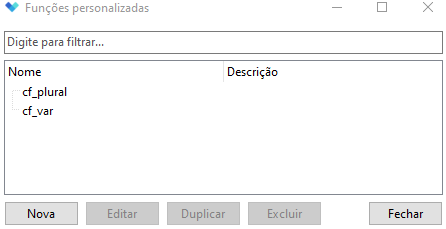
Em *Configurações* >> *Biblioteca de funções* temos uma área para o cadastrado/edição e exclusão das funções personalizadas:
Ao clicar em biblioteca das funções irá abrir a janela para o cadastrado de novas funções pesquisa das funções cadastradas:
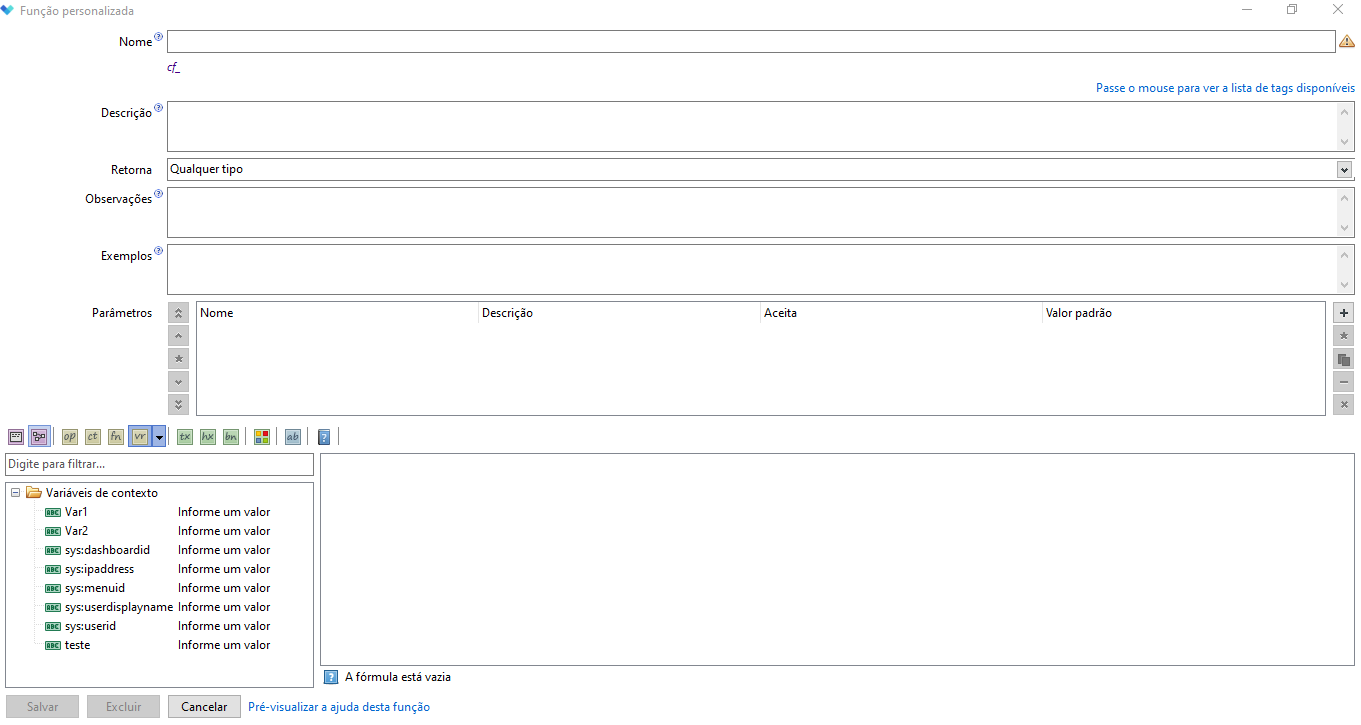
* Para criar uma nova função, clique em nova;
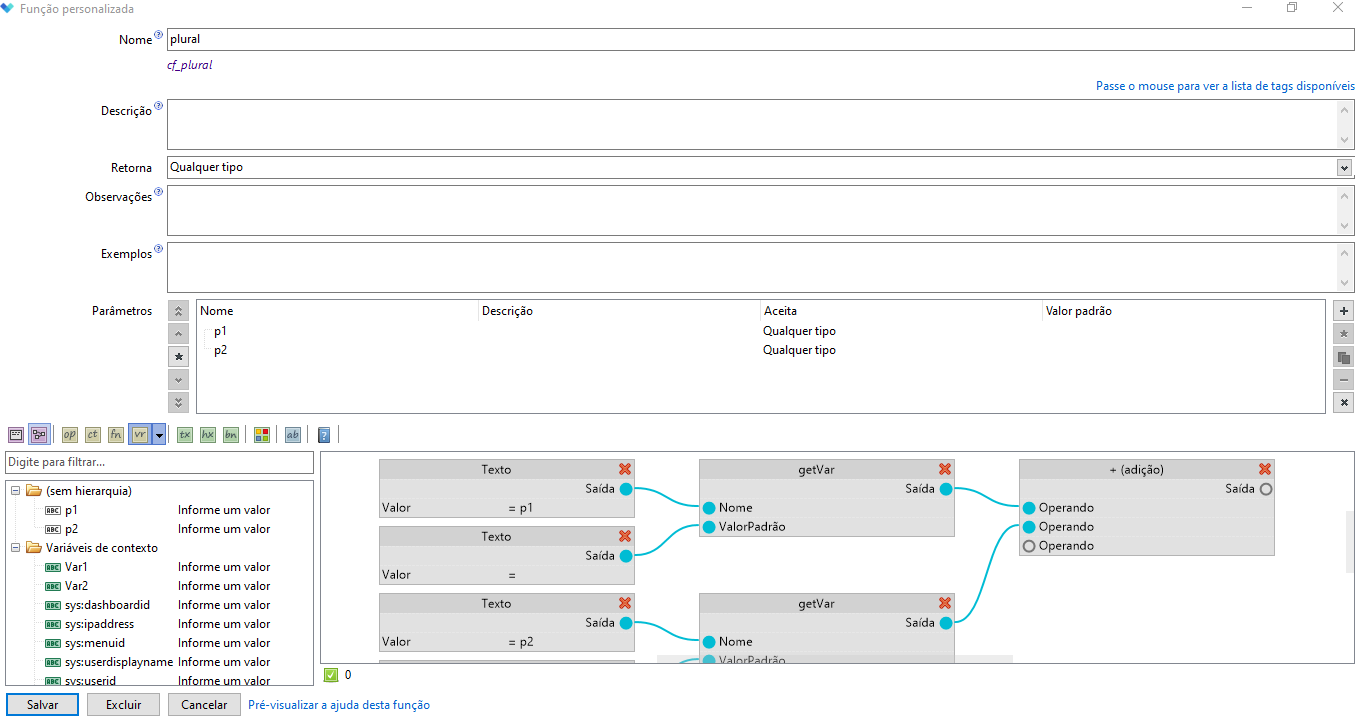
Após personalizar sua função, basta clicar em salvar que ela estará disponivel para o uso.
Um exemplo poderia criar uma função chamada, por exemplo, Plural que aceitaria 4 parâmetros `(valor, singular, plural, zero)` e teria a fórmula:
`if(`
`:valor > 1,`
`:valor _ ' ' _ :plural,`
`if(`
`:valor > 0,`
`:valor _ ' ' _ :singular,`
`:zero`
`)`
`)`
E com a nova função usaria ela da seguinte forma:
`Plural(getVar('qt_atendimento'), 'atendimento', 'atendimentos', 'Nenhum atendimento')`
Caso precise criar um novo campo desse estilo, basta chamar a função que criou. Se, eventualmente, notar que há um erro nessa fórmula, basta alterar dentro da função e isso se refletirá em todos os campos que a usam.